Know your profit before you buy.
Should you flip that thrift find? What offer can you accept? See your estimated take-home profit after fees, postage and item cost — before you list.
01 / Your numbers
Fee estimate uses one blended rate on item price + shipping collected + entered buyer tax. For marketplace-paid labels, enter only shipping collected and postage you actually receive or pay. Add boosts or other costs as needed; complex fee schedules may differ.
02 / Your decision
What happens if you accept an offer?
| Discount | Offer | Net profit |
|---|
Estimates only, before income tax. Verify your platform's actual charges.
Turn individual flips into a system.
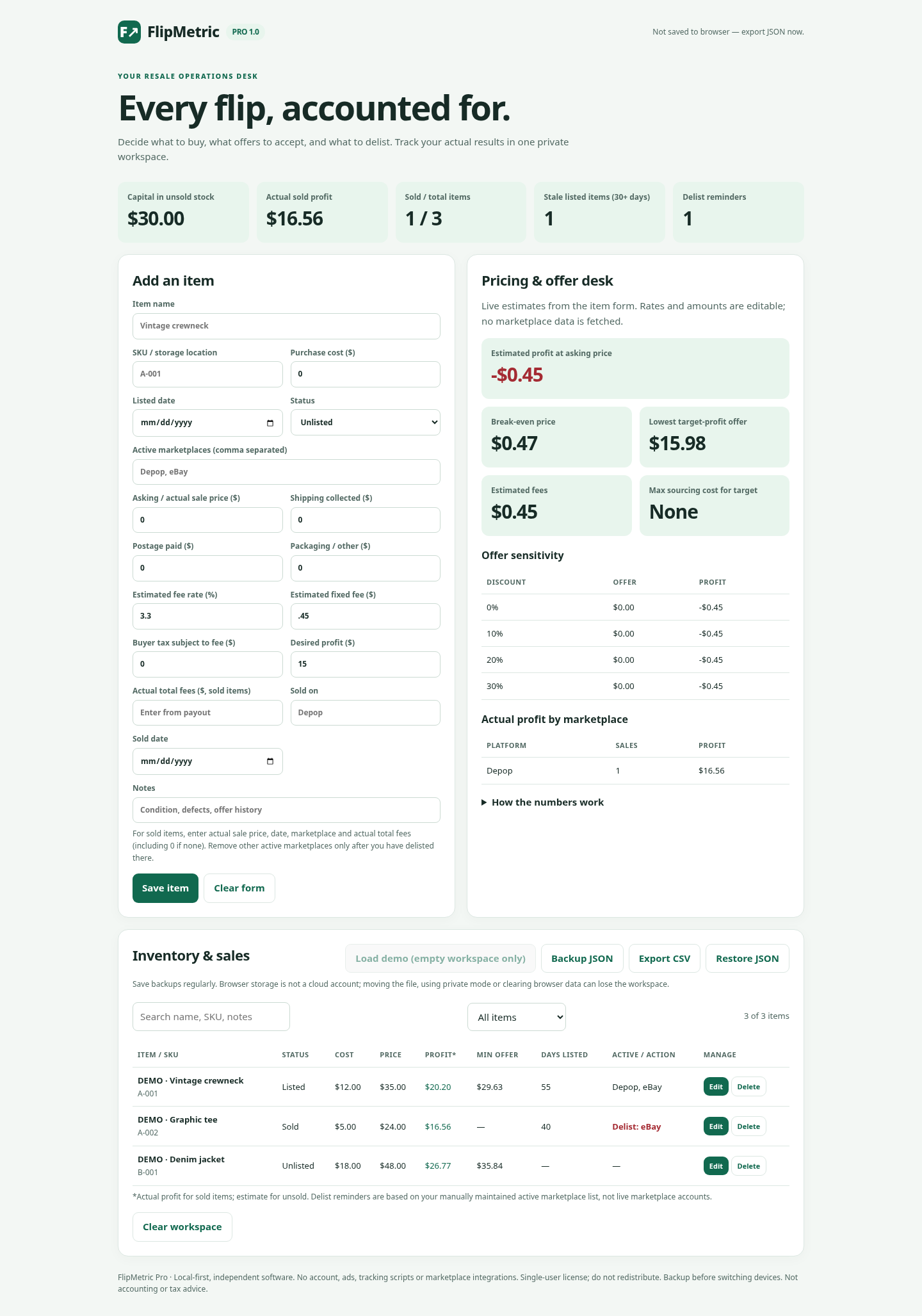
Keep a record of every item, track actual profit, spot stale inventory, calculate minimum offers, and avoid leaving sold items listed on other marketplaces. Works locally in your browser, with backup and CSV export.
Get FlipMetric Pro — $10.99One-time payment · Instant download · No subscription
How to calculate resale profit
Start with the amount the buyer pays you for the item and shipping. Subtract the marketplace and payment fees, your original item cost, postage, packaging, and other expenses. The remaining amount is your estimated profit.
How do I price an item to make a specific profit?
Add your target profit to all costs, account for the fees charged on the final transaction, and use the minimum offer above as a starting point. Confirm market demand before raising your listing price.
Are fees always the same?
No. Rates vary by country, category, promotion and payment method. The Depop US example uses 3.3% + $0.45 payment processing for eligible unboosted sales. Verify the official fee schedule. Custom rates are editable; the calculator does not fetch live fees.